Features & Capabilities
Experience a seamless workflow where sending, receiving, and storing large files is as easy as a single click—powered by the world's most advanced quantum-safe encryption.
Send
Send Any File, Instantly
Send
Send Any File, Instantly
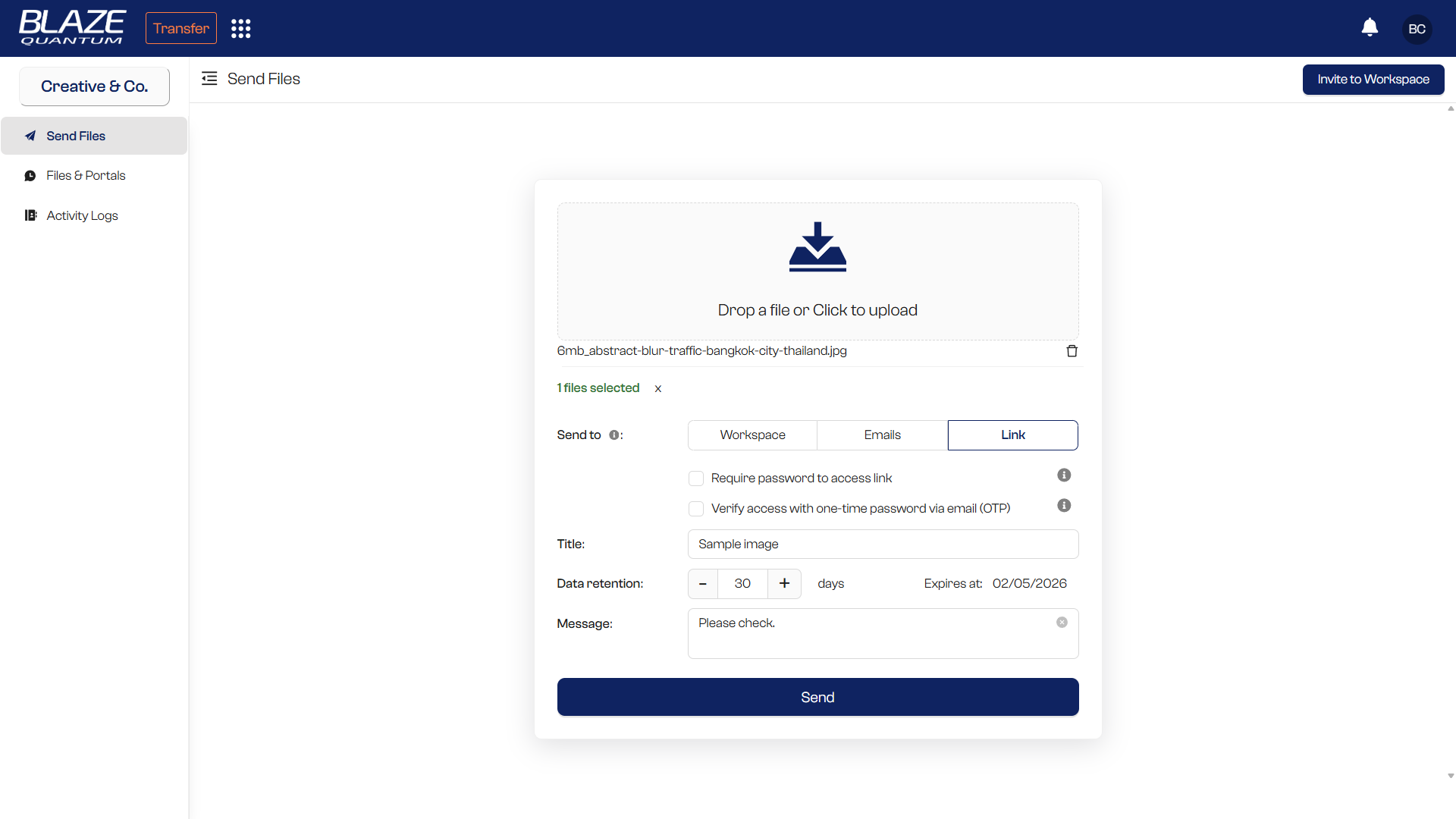
Transfer files of any size to anyone — no zipping, no limits, no hassle. Files are encrypted on your device before they ever leave.
-
No Size Limits
Send massive media files, datasets, and documents for up to 30 days with no restrictions.
-
Any File Type
Send any format—no zipping required. Photos, videos, CAD files, databases, and more.
-
Flexible Sharing
Share with your team, via email, or through secure links.
Share
Share Securely, Your Way
Share
Share Securely, Your Way
Generate protected download links that anyone can access — with optional password or one-time password protection.
-
Shareable Download Links
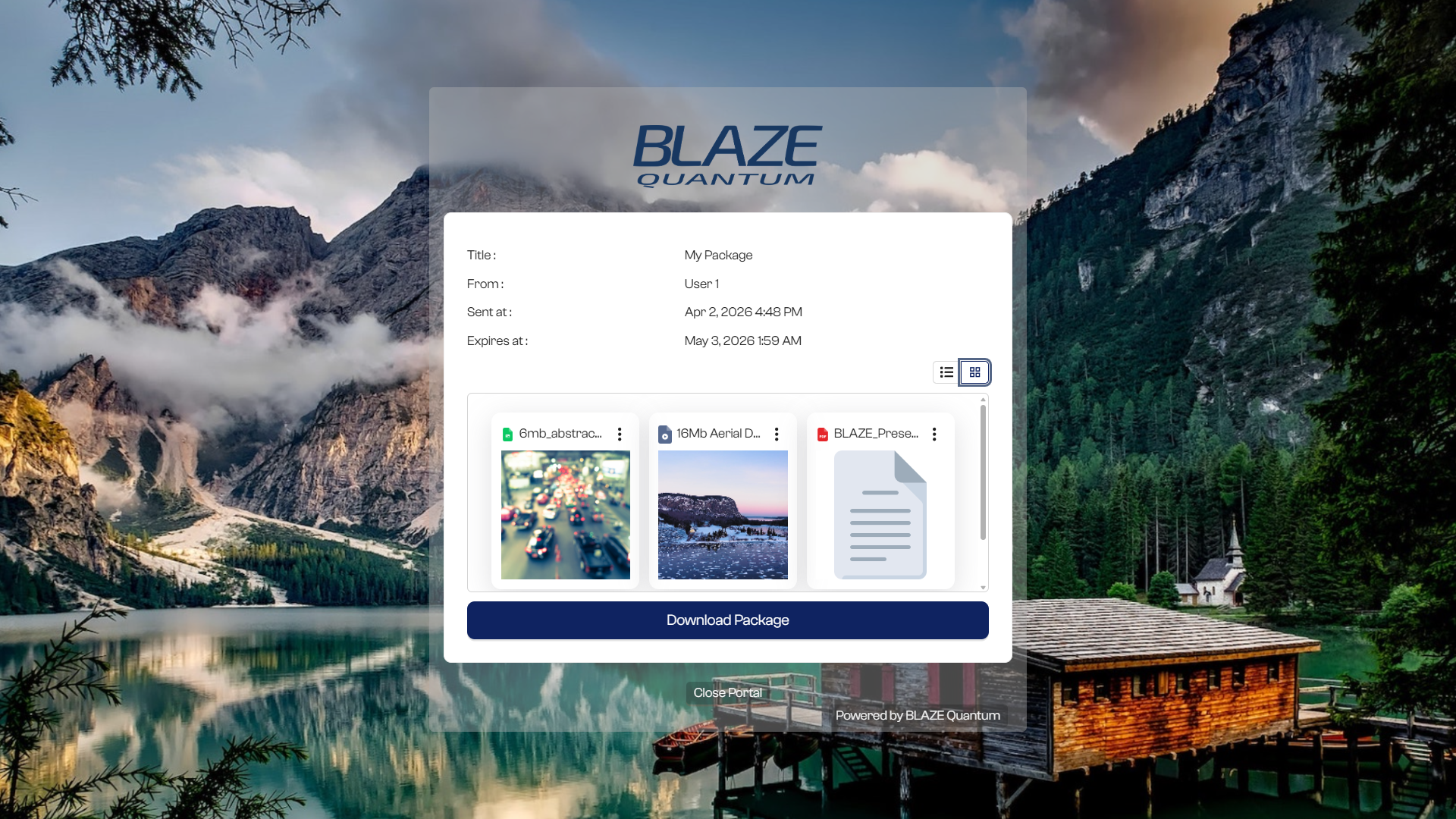
Generate a secure link anyone can use to download your files—no login or account required.
-
Link Protection
Secure your shared links with a password or one-time password (OTP) for an extra layer of access control.
-
Preview
Recipients can browse files in gallery view, preview documents, and stream videos directly in the browser.
Receive
Collect Files from Anyone
Receive
Collect Files from Anyone
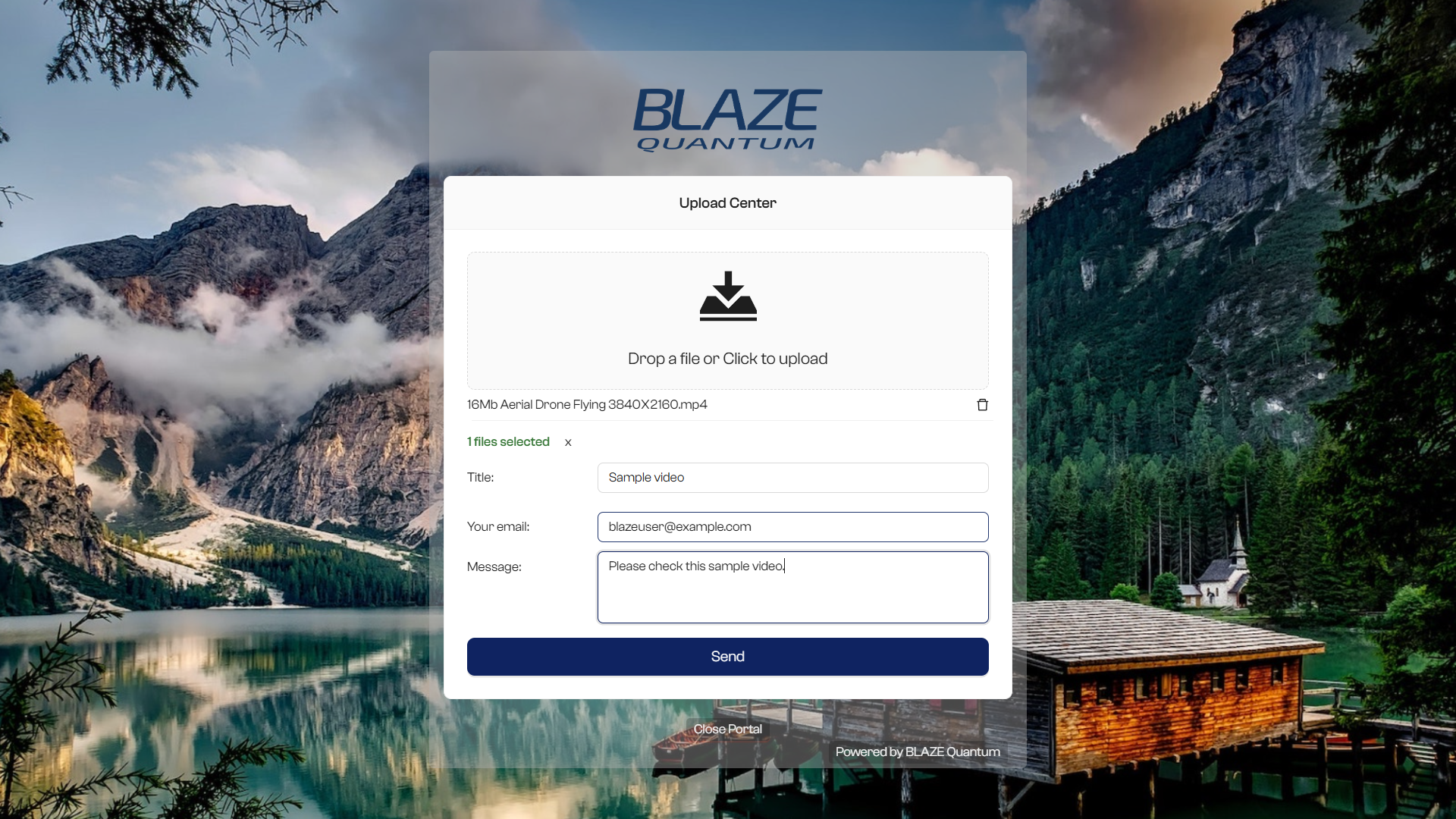
Your own branded upload portal lets anyone send you files — no account required on their end.
-
Upload Portal
Generate a secure link so anyone can send you files in seconds.
-
No Account Required
Anyone can upload files to your portal without signing up for BLAZE.
-
Dedicated Folders
All incoming files are automatically organized per portal for easy management.
Store
Your Encrypted Vault
Store
Your Encrypted Vault
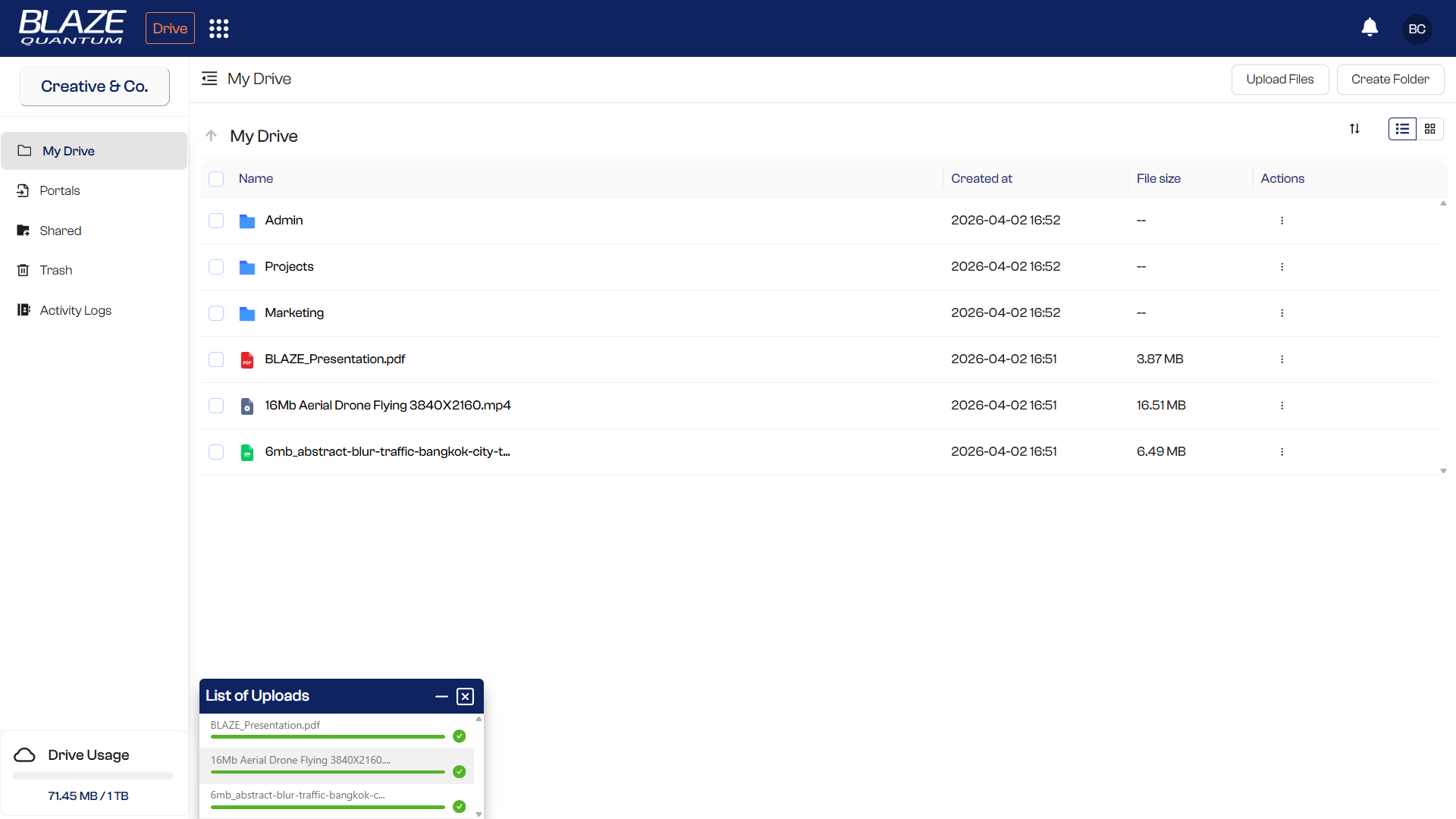
Store sensitive files permanently in BLAZE Drive — organized in folders, accessible only by you and your team.
-
Permanent Storage
No expiration—files are accessible forever in your encrypted vault.
-
Long-Term Storage
Need files accessible beyond the standard 30-day transfer window? Extend retention for as long as you need.
-
Folder Organization
Organize files in folders with team sharing and access control.
Customize
Your Brand, Your Portal
Customize
Your Brand, Your Portal
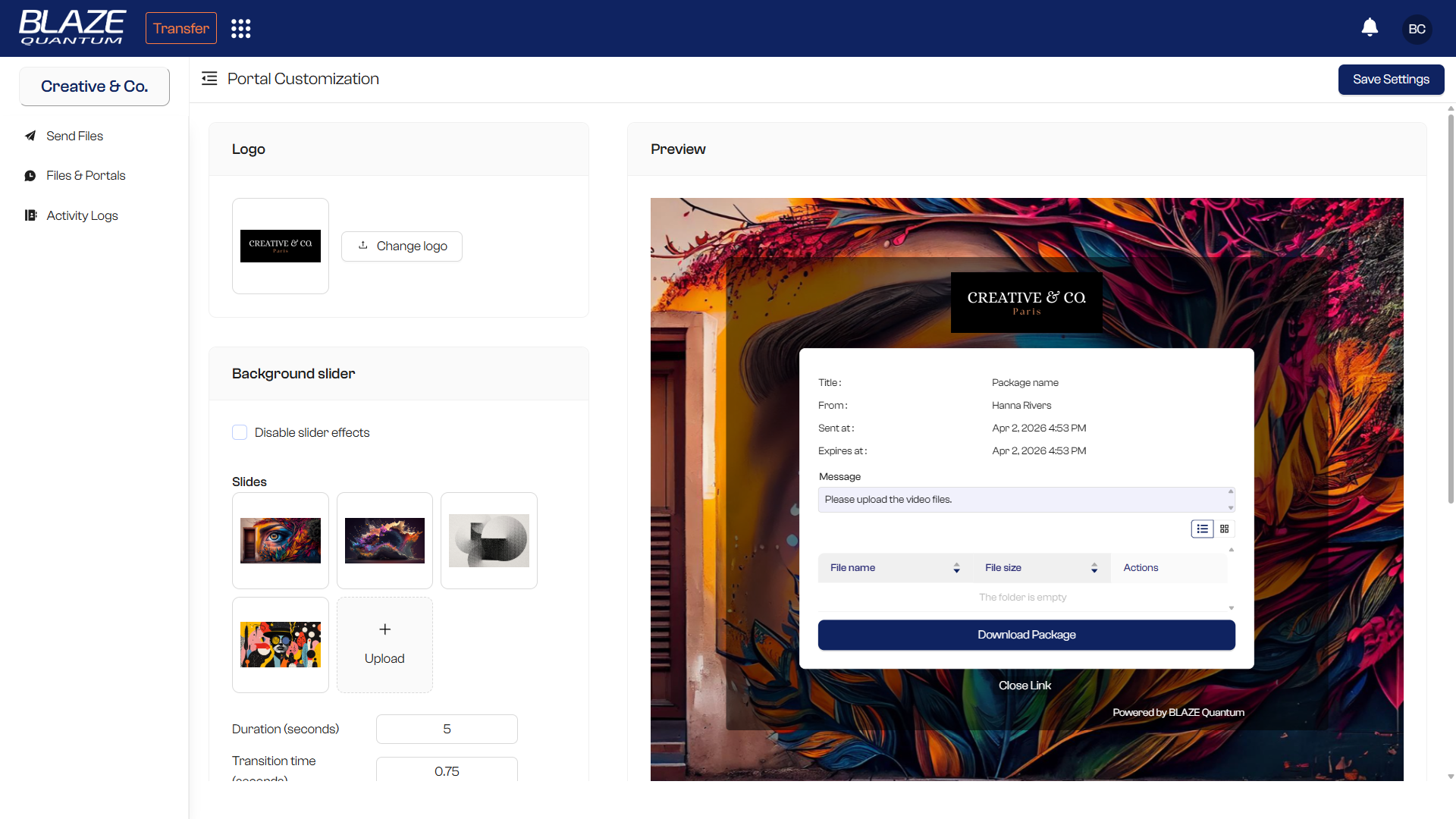
Make BLAZE your own — custom domain, logo, and background so your clients always know they're in the right place.
-
Custom Domain (CNAME)
Use your own domain for portals and download links.
-
Brand Logo
Add your logo to portals and download pages for a professional presence.
-
Dynamic Backgrounds
Set custom background images for your upload portal.
Monitor & Manage
Full Visibility Across Your Organization
Monitor & Manage
Full Visibility Across Your Organization
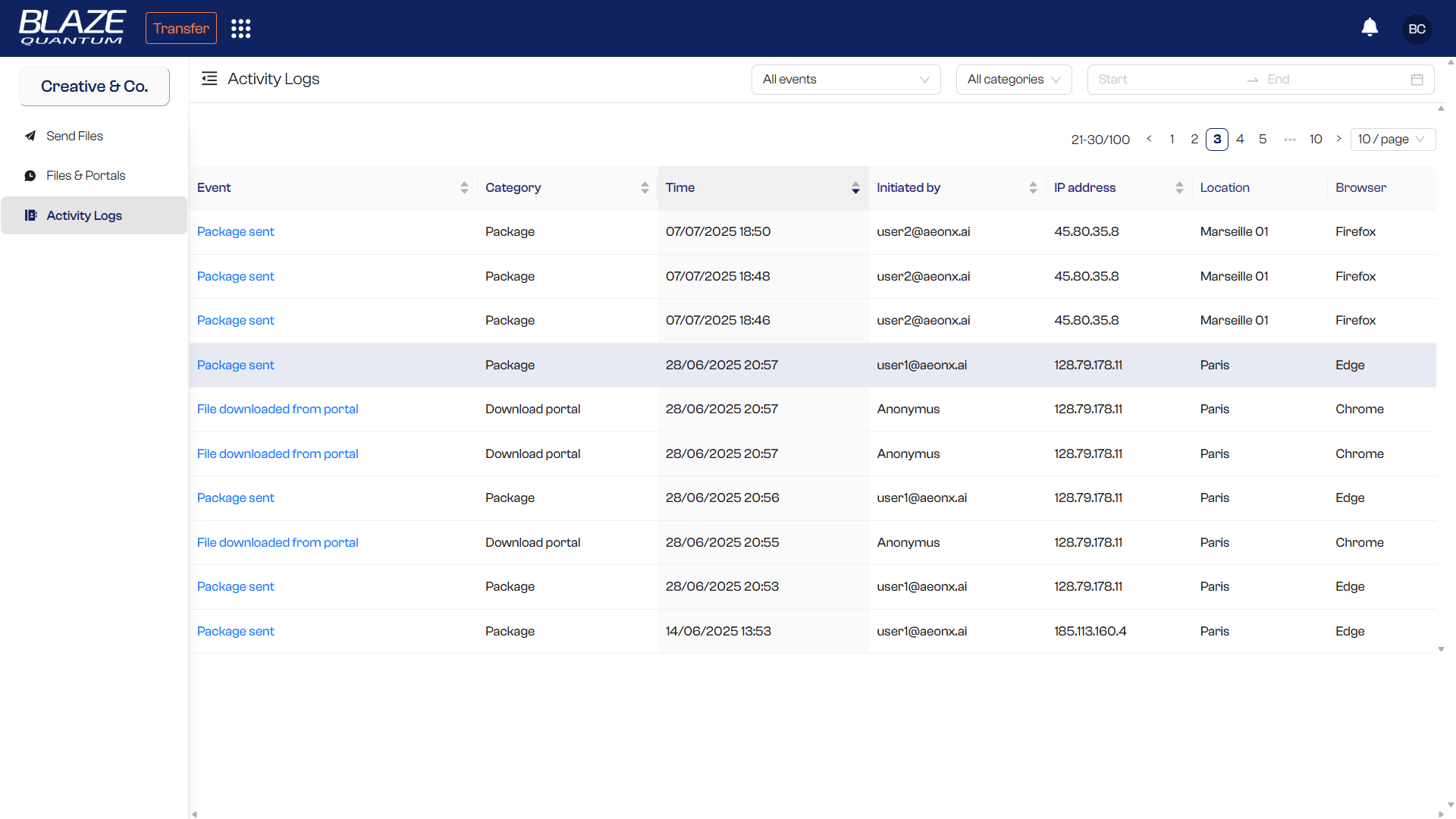
Track every transfer, manage your team, and stay audit-ready — all from a single dashboard.
-
Activity Logs
Full visibility of all organizational transfers and download status.
-
Multiple Workspaces
Set up workspaces for different teams or clients and switch between them easily.
-
Team Management
Add members and assign role-based access across your organization.
Integrate
Works with Your Existing Tools
Integrate
Works with Your Existing Tools
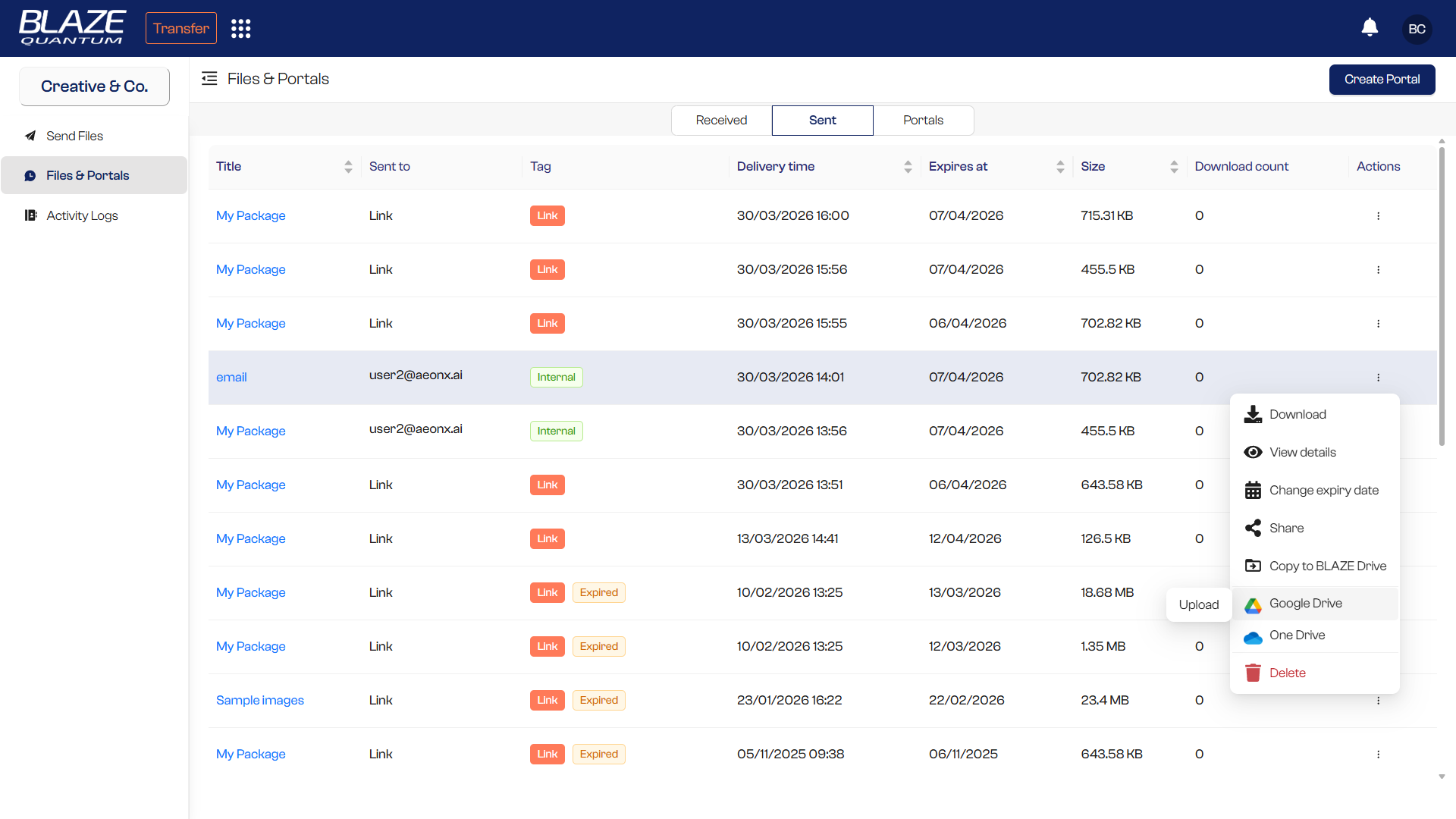
Save files directly to the cloud storage you already use — with one click.
-
Google Drive
One-click save from BLAZE directly to Google Drive.
-
Microsoft OneDrive
One-click save from BLAZE directly to OneDrive.
The New Standard of Data Sovereignty
An enterprise-grade solution to protect your data with Post-Quantum E2EE.
Get Started